
WordPress powers a huge share of the web for a simple reason: you can launch a professional-looking website in days with a good theme and a handful of plugins. For many businesses, that is exactly the right call. But at some point a lot of growing websites hit a wall. The checkout needs to work differently, the team needs a simpler way to publish, the site slows down under the weight of plugins, or a key workflow simply doesn’t exist in any plugin on the market.
That is where custom WordPress development comes in. In this guide I’ll explain what “custom” actually means (it is rarely “rebuild everything from scratch”), the clear signs that you need it, the cases where you don’t, and how to plan a custom project so it stays maintainable for years. Whether you run a business or you’re a developer deciding between “install a plugin” and “write code”, this should help you make the call with confidence.
In this article
What “custom WordPress development” really means
“Custom” is not a single thing. It is a spectrum, and most successful websites sit somewhere in the middle of it. At one end you have a purchased theme with off-the-shelf plugins and no code at all. At the other end you have a fully bespoke theme and a codebase written specifically for one business. Between those extremes are the options that usually give the best return: a child theme with targeted changes, and small custom plugins that hold your business logic.
The important takeaway is that going custom rarely means throwing your site away. Often the best result comes from keeping what works (a solid theme, proven plugins for SEO, forms and backups) and writing code only for the parts that make your business different.
Seven signs you need custom development
These are the patterns I see most often when a business outgrows its off-the-shelf setup. One of them on its own might be manageable. Two or three together are a strong signal.
1. You’re stacking plugins to fake one feature
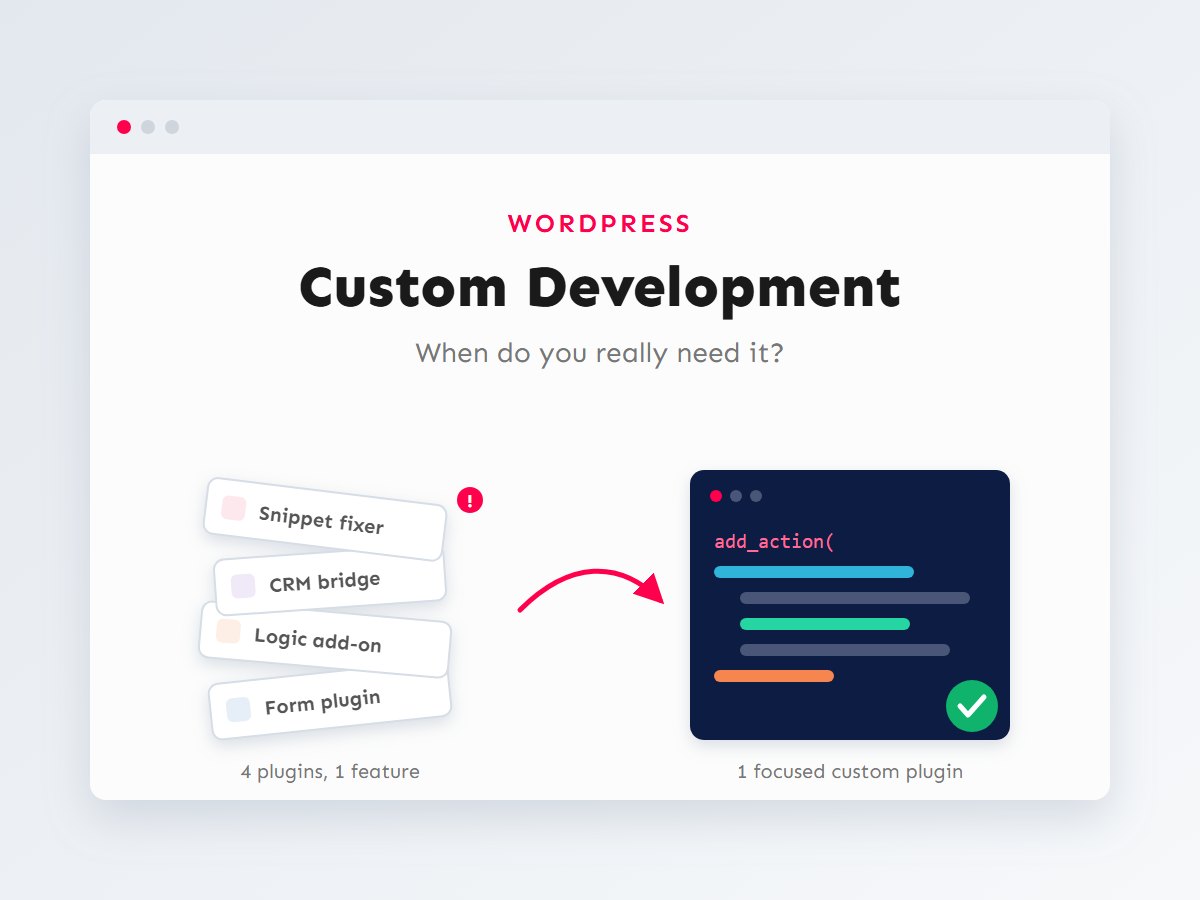
A form plugin, plus an add-on for conditional logic, plus another add-on to push entries to your CRM, plus a snippet plugin to fix how the add-on behaves… When four plugins are glued together to deliver one feature, every update becomes a gamble. A single purpose-built plugin is usually smaller, faster and far easier to reason about.
2. Your team is afraid to edit content
If updating a service page means wrestling with nested page-builder columns, and one wrong click breaks the layout, the editing experience is costing you time every week. Custom blocks or structured content types let editors fill in clear fields while the design stays locked in place.
3. Performance is suffering
Multipurpose themes and plugins are written to serve thousands of different sites, so they often load scripts and styles on every page whether you use them or not. If your Core Web Vitals are poor and the waterfall is full of assets you don’t need, a leaner custom build can make a dramatic difference. I cover the measurement side in my Core Web Vitals checklist.
4. Your business has a workflow no plugin understands
Quote requests that need approval, bookings with rules specific to your industry, inventory that lives partly offline, member areas with unusual permissions. When your process is what makes you competitive, bending it to fit a generic plugin is the wrong way round.
5. You need to connect WordPress to other systems
ERPs, accounting software, shipping providers, internal APIs: integrations are one of the most common reasons to write custom code. A well-built integration handles authentication, retries, errors and logging properly, which ready-made connectors often skip.
6. Your data doesn’t fit “posts and pages”
Properties, courses, team members, case studies, events, products with complex specifications. These deserve their own custom post types, taxonomies and fields so they can be filtered, searched, displayed consistently and reused across the site.
7. Security and licence costs keep growing
Every plugin you install is code you’re trusting with your site, and many premium plugins charge a yearly licence. If you run 30+ plugins, some of them abandoned and several paid, consolidating into a small amount of well-written custom code can reduce both your attack surface and your running costs. My security hardening checklist explains why plugin count matters.
When you don’t need it
Custom development is an investment, and not every problem deserves it. Being honest about this is part of doing the job well. You probably don’t need custom code when:
- A well-maintained plugin already does the job. SEO, caching, backups, contact forms and multilingual support are solved problems. Reinventing them rarely pays off.
- You’re validating an idea. If you don’t yet know whether a feature will be used, test it with an existing tool first and build properly once demand is proven.
- The requirement can be simplified. Sometimes the best “development” is a conversation that removes an edge case nobody actually needs.
- There is no one to maintain it. Custom code needs an owner. If nobody will look after it, a popular plugin with a large community may be the safer choice.
A simple decision guide
When a new requirement comes in, I run through three questions. They are simple, but they prevent both over-engineering and the slow slide into plugin chaos.
Notice that “build a custom plugin” is the last stop, not the first. Custom code earns its place when the feature is both central to the business and likely to evolve. That is exactly where off-the-shelf tools start to fight you.
Plugins vs custom code, side by side
Neither option is “better” in general. They have different strengths, and the right choice depends on the feature in front of you.
| Aspect | Off-the-shelf plugin | Custom code |
|---|---|---|
| Time to launch | Hours to days | Days to weeks |
| Upfront cost | Low (often free or a yearly licence) | Higher (development time) |
| Fit to your workflow | Generic; you adapt to it | Exact; it adapts to you |
| Performance | Often loads features you don’t use | Loads only what you need |
| Updates | Handled by the vendor, on their schedule | Your responsibility, on your schedule |
| Risk | Vendor may abandon or change it | Depends on code quality and documentation |
| Best for | Solved, common problems | What makes your business different |
What custom code looks like in practice
“Custom development” sounds big, but good custom code is usually small and focused. Here is a complete, real plugin that adds a Case Studies section to a site: its own admin menu, archive page, categories (“Industries”) and block-editor support. That’s roughly 50 lines, with no page builder and nothing loaded on the frontend that the site doesn’t use.
<?php
/**
 * Plugin Name: Acme Case Studies
 * Description: Adds a Case Studies content type with an Industry taxonomy.
 * Version:     1.0.0
 * Requires PHP: 7.4
 */

defined( 'ABSPATH' ) || exit;

add_action( 'init', 'acme_register_case_studies' );

function acme_register_case_studies() {
	register_post_type(
		'case_study',
		array(
			'labels'       => array(
				'name'          => __( 'Case Studies', 'acme' ),
				'singular_name' => __( 'Case Study', 'acme' ),
			),
			'public'       => true,
			'has_archive'  => true,
			'rewrite'      => array( 'slug' => 'case-studies' ),
			'menu_icon'    => 'dashicons-portfolio',
			'supports'     => array( 'title', 'editor', 'excerpt', 'thumbnail' ),
			'show_in_rest' => true, // Enables the block editor and the REST API.
		)
	);

	register_taxonomy(
		'industry',
		'case_study',
		array(
			'label'        => __( 'Industries', 'acme' ),
			'hierarchical' => true,
			'rewrite'      => array( 'slug' => 'industry' ),
			'show_in_rest' => true,
		)
	);
}

// Make the new URLs work as soon as the plugin is activated.
register_activation_hook(
	__FILE__,
	function () {
		acme_register_case_studies();
		flush_rewrite_rules();
	}
);
Because this lives in its own plugin rather than in the theme, the case studies survive a redesign: switch themes and your content is still there. Keeping business logic out of the theme is one of the most valuable habits in WordPress development. I go through the full structure (settings pages, security, uninstall) in how to build a custom WordPress plugin the right way, and the hook system that makes all of this possible in WordPress hooks explained.
Theme or plugin? A simple rule
If it controls how things look, it belongs in the theme. If it controls what the site does or what data it stores, it belongs in a plugin. Ask yourself: “Would I lose this if I changed the design?” If the answer should be no, it’s plugin territory.
How to plan a custom project
Most custom projects that go wrong don’t fail because of the code. They fail because the requirements were vague, or nobody planned for what happens after launch. This is the process I follow, and it scales from a small feature to a full rebuild.
Discover and plan
Start from the problem, not the solution. “We need a booking plugin” is a solution. “Customers call us to book because the website can’t show available slots” is a problem, and it may have several possible answers. Write down who uses the feature, what they need to achieve, and how you’ll know it works. Then design the data: which content types, fields and relationships the feature needs. Getting the data model right early saves more rework than anything else.
Build and test
Build on a staging copy of the site, never on production. Use version control (Git) so every change is tracked and reversible. Follow the WordPress Coding Standards and its security practices: sanitize input, escape output, and check permissions and nonces. Test on real devices, with real content, and with the plugins the live site actually runs.
Launch and maintain
Take a full backup before deploying, launch at a quiet time, and watch error logs and analytics for the first few days. After that, custom code needs the same care as everything else on the site: compatibility checks when WordPress or PHP versions change, and small improvements as your team uses the feature and finds rough edges.
Thinking about cost and maintenance
It is tempting to compare only the upfront price: a plugin licence is cheaper than a week of development. A fairer comparison looks at the total cost over the life of the site:
- Licences: premium plugins usually renew every year, and the bill grows with every add-on.
- Time lost: hours your team spends on workarounds, manual data entry or fighting a clumsy editor.
- Performance: a slow site costs you visitors and conversions. That cost is real, even if it never shows up on an invoice.
- Risk: abandoned plugins, conflicts after updates and security incidents all have a price.
- Maintenance: custom code needs occasional updates too. Budget a little for it from the start rather than treating launch as the finish line.
To keep custom work affordable and low-risk, insist on a few things: the code lives in a Git repository you own, it is documented, it follows WordPress standards so any competent developer can pick it up, and it’s split into focused plugins rather than one giant “functions.php”. These habits are what separate custom code that becomes an asset from custom code that becomes a liability.
Key takeaways
- Custom WordPress development is a spectrum. Most sites benefit from a good theme plus small, focused custom plugins.
- Strong signals: plugin stacking, a painful editing experience, poor performance, unique workflows, integrations and structured data.
- Use proven plugins for solved problems. Write code for what makes your business different.
- Keep business logic in plugins, not themes, so it survives a redesign.
- Judge cost over the life of the site, and plan for maintenance from day one.
If you’re not sure whether your site needs custom work or just a better plugin setup, that is a great first conversation to have. I’m happy to review your current setup and give you an honest recommendation, even if the answer is “you don’t need me yet”. Get in touch or take a look at the services I offer.