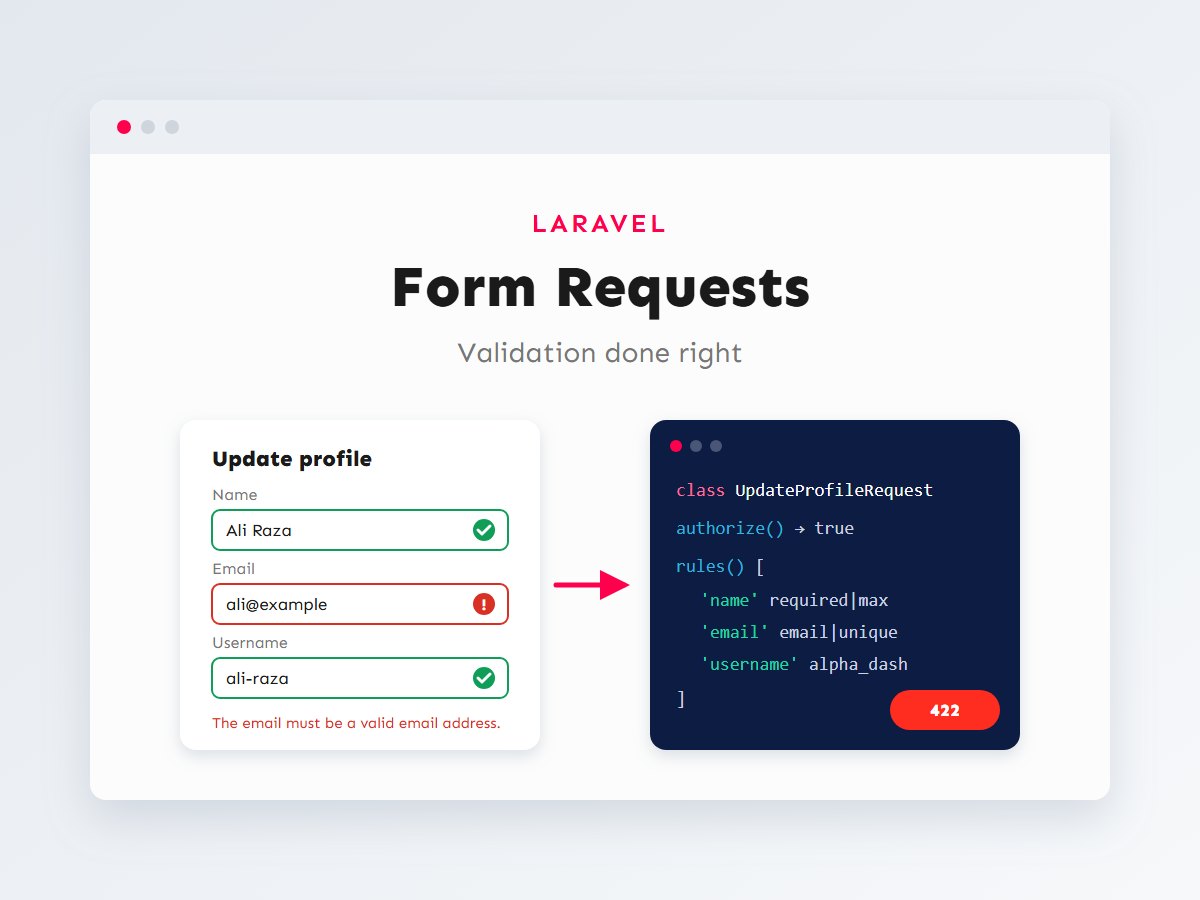

Every form, API endpoint and import in a web application has the same weak point: the data coming in. Users make typos, browsers send unexpected values, and attackers send whatever they like. Validation is where your application decides what it will accept, and in Laravel it’s also one of the places where a codebase either stays clean or slowly turns messy.
It’s easy to start with a few $request->validate() calls inside controllers. That works, until the same rules are copied into three controllers, authorization checks drift out of sync, and someone saves $request->all() straight into a model. In this guide I’ll show how I structure validation in Laravel projects with Form Request classes: how the request flows through them, which rules matter most, how to write custom rules, how errors reach browsers and API clients, and the security habits that keep bad data out.
In this article
Why move validation out of controllers
A controller’s job is to coordinate: take a valid request, call the right code, return a response. When it also holds twenty lines of rules and a permission check, it does three jobs and is harder to read and test. A Form Request is a dedicated class that holds everything about “is this request acceptable?”:
- Authorization: is this user allowed to make this request at all?
- Preparation: normalize input before checking it (trim, lowercase, build a slug).
- Rules: what each field must look like.
- Messages: friendly, specific error text.
Laravel runs the Form Request automatically before your controller method executes. If anything fails, the controller never runs. That single guarantee removes a whole class of bugs.
How a Form Request processes a request
Two details are worth remembering. First, prepareForValidation() runs before the rules, so it’s the right place to clean input, not to trust it. Second, a failed authorize() returns a 403 immediately, so you never waste a database query validating a request the user wasn’t allowed to make.
Your first Form Request
Generate the class with Artisan. Laravel places it in app/Http/Requests:
php artisan make:request UpdateProfileRequestHere’s a realistic example: a user updating their own profile. It shows authorization, input preparation, a unique email that ignores the user’s current record, and custom messages:
<?php

namespace App\Http\Requests;

use Illuminate\Foundation\Http\FormRequest;
use Illuminate\Support\Str;
use Illuminate\Validation\Rule;

class UpdateProfileRequest extends FormRequest
{
    /**
     * Only signed-in users can update a profile (their own).
     */
    public function authorize(): bool
    {
        return $this->user() !== null;
    }

    /**
     * Normalize input before the rules run.
     */
    protected function prepareForValidation(): void
    {
        $this->merge([
            'email'    => Str::lower(trim((string) $this->input('email'))),
            'username' => Str::slug((string) $this->input('username')),
        ]);
    }

    public function rules(): array
    {
        return [
            'name'     => ['required', 'string', 'max:100'],
            'email'    => [
                'required',
                'email',
                'max:255',
                Rule::unique('users', 'email')->ignore($this->user()->id),
            ],
            'username' => ['required', 'alpha_dash', 'min:3', 'max:30', Rule::unique('users')->ignore($this->user()->id)],
            'bio'      => ['nullable', 'string', 'max:500'],
            'avatar'   => ['nullable', 'image', 'mimes:jpg,jpeg,png,webp', 'max:2048'], // KB
        ];
    }

    public function messages(): array
    {
        return [
            'email.unique'    => 'That email address is already in use.',
            'username.unique' => 'That username is taken. Try another one.',
            'avatar.max'      => 'Please upload an image smaller than 2 MB.',
        ];
    }
}
Using it is a matter of type-hinting it in the controller. Laravel resolves the class, runs the whole pipeline and only then calls your method:
<?php

namespace App\Http\Controllers;

use App\Http\Requests\UpdateProfileRequest;
use Illuminate\Http\RedirectResponse;

class ProfileController extends Controller
{
    public function update(UpdateProfileRequest $request): RedirectResponse
    {
        $data = $request->safe()->except('avatar');

        if ($request->hasFile('avatar')) {
            $data['avatar_path'] = $request->file('avatar')->store('avatars', 'public');
        }

        $request->user()->update($data);

        return back()->with('status', 'Profile updated.');
    }
}
The controller is now four meaningful lines, and it can assume every value it touches has already been checked.
Authorization with policies
When the request targets a specific record, let a policy decide. Route model binding gives you the model inside the Form Request, so the check stays one line:
// UpdateProjectRequest, for PUT /projects/{project}
public function authorize(): bool
{
    return $this->user()->can('update', $this->route('project'));
}
Rules you’ll use every week
Laravel ships with dozens of rules. These are the ones that solve most real-world cases.
Unique values when editing
A plain unique:users,email rule fails when a user saves their profile without changing their email, because their own row already holds it. Rule::unique(...)->ignore($id) (shown above) tells Laravel to skip the current record. Always pass the ID from a trusted source, such as the authenticated user or the route model, never from a hidden form field.
Conditional rules
Real forms change shape: a business customer needs a company name, a personal one doesn’t. Laravel has several ways to express that:
use App\Enums\CustomerType;
use Illuminate\Validation\Rule;

public function rules(): array
{
    return [
        'type'         => ['required', Rule::enum(CustomerType::class)],
        // Required only when type is "business".
        'company_name' => ['required_if:type,business', 'nullable', 'string', 'max:150'],
        'vat_number'   => [
            Rule::requiredIf(fn () => $this->input('type') === 'business' && $this->input('country') !== 'PK'),
            'nullable',
            'string',
            'max:30',
        ],
        // Validate only if the field is present in the request (useful for PATCH).
        'phone'        => ['sometimes', 'string', 'max:20'],
        'newsletter'   => ['boolean'],
    ];
}
Arrays and nested data
Orders, invoices and multi-row forms send arrays. The * wildcard validates every item, and exists confirms each ID is real:
public function rules(): array
{
    return [
        'items'              => ['required', 'array', 'min:1', 'max:50'],
        'items.*.product_id' => ['required', 'integer', 'distinct', 'exists:products,id'],
        'items.*.quantity'   => ['required', 'integer', 'min:1', 'max:100'],
        'items.*.note'       => ['nullable', 'string', 'max:200'],
    ];
}

public function attributes(): array
{
    // Error messages say "quantity" instead of "items.0.quantity".
    return [
        'items.*.quantity'   => 'quantity',
        'items.*.product_id' => 'product',
    ];
}
Note the max:50 on the array itself. Without a limit, a single request with thousands of items can turn validation into an expensive operation.
Passwords and files
use Illuminate\Validation\Rules\File;
use Illuminate\Validation\Rules\Password;

'password' => ['required', 'confirmed', Password::min(10)->letters()->numbers()],
'contract' => ['required', File::types(['pdf'])->max(5 * 1024)], // 5 MB
Writing custom rules
When a business rule comes up in more than one place, give it its own class. Generate one with php artisan make:rule and implement the validate method:
<?php

namespace App\Rules;

use Closure;
use Illuminate\Contracts\Validation\ValidationRule;
use Illuminate\Support\Carbon;

/**
 * Bookings must start on a working day (Mon–Sat) during opening hours.
 */
class WithinOpeningHours implements ValidationRule
{
    public function validate(string $attribute, mixed $value, Closure $fail): void
    {
        try {
            $start = Carbon::parse($value);
        } catch (\Throwable) {
            $fail('The :attribute is not a valid date and time.');
            return;
        }

        if ($start->isSunday()) {
            $fail('We are closed on Sundays. Please choose another day.');
            return;
        }

        if ($start->hour < 9 || $start->hour >= 18) {
            $fail('The :attribute must be between 9:00 and 18:00.');
        }
    }
}

// In a Form Request:
'starts_at' => ['required', 'date', 'after:now', new WithinOpeningHours],
For checks that involve several fields at once (“the end date must be after the start date and the room must be free”), use withValidator() to add an after-hook that runs once the basic rules pass:
use Illuminate\Validation\Validator;

public function withValidator(Validator $validator): void
{
    $validator->after(function (Validator $validator) {
        if ($validator->errors()->isNotEmpty()) {
            return; // Basic rules failed; skip the database check.
        }

        $taken = Booking::where('room_id', $this->input('room_id'))
            ->where('starts_at', '<', $this->input('ends_at'))
            ->where('ends_at', '>', $this->input('starts_at'))
            ->exists();

        if ($taken) {
            $validator->errors()->add('starts_at', 'That room is already booked at this time.');
        }
    });
}
Errors for browsers vs API clients
One of Laravel’s nicest touches is that the same Form Request works for a Blade form and a JSON API. Laravel looks at the request to decide how to report failures:
For a browser, Laravel redirects back and flashes the errors and old input to the session. In Blade you display them next to each field and refill the form:
<label for="email">Email</label>
<input id="email" name="email" type="email" value="{{ old('email', $user->email) }}"
       class="@error('email') is-invalid @enderror" aria-describedby="email-error">

@error('email')
    <p id="email-error" class="field-error">{{ $message }}</p>
@enderror
For API clients, make sure they send the Accept: application/json header. Laravel then returns a 422 response with an errors object keyed by field name, which a React or mobile frontend can map straight onto its form fields.
Saving only validated data
Validation checks the fields you listed. It doesn’t stop the request from carrying extra fields. If you write User::create($request->all()), anything the client adds goes along for the ride. This is the classic mass assignment problem:
Two layers of protection work together here:
- Use
$request->validated()or$request->safe()to get only the fields that have rules.safe()->only([...])andsafe()->except([...])let you pick from that set. - Define
$fillableon every model so that, even if raw input slips through somewhere, sensitive columns can’t be mass-assigned.
class User extends Authenticatable
{
    // Only these columns can be filled with create() / update().
    protected $fillable = ['name', 'email', 'username', 'bio', 'avatar_path', 'password'];
}

// Controller
User::create($request->validated());          // Good
User::create($request->all());                // Avoid: trusts every field sent
Testing your validation
Validation rules are business rules, so they deserve tests. Without them, a well-meant change like loosening a rule for one form can quietly open a gap somewhere else. Laravel’s feature tests make this straightforward: send a request as a real user would, then assert on the errors or the saved data.
I aim for three kinds of tests per Form Request: one that proves valid data is saved, a few that prove the important invalid cases are rejected with the right field errors, and one that proves unauthorized users are turned away. This example uses Pest, which new Laravel projects can install by default; the same assertions work in PHPUnit:
<?php
// tests/Feature/UpdateProfileTest.php

use App\Models\User;

it('updates the profile with valid data', function () {
    $user = User::factory()->create();

    $this->actingAs($user)
        ->put('/profile', [
            'name'     => 'Ali Raza',
            'email'    => 'ALI@Example.com ',
            'username' => 'Ali Raza',
        ])
        ->assertSessionHasNoErrors()
        ->assertRedirect();

    // prepareForValidation() normalized the input before saving.
    expect($user->fresh())
        ->email->toBe('ali@example.com')
        ->username->toBe('ali-raza');
});

it('rejects an email that belongs to someone else', function () {
    $other = User::factory()->create(['email' => 'taken@example.com']);
    $user  = User::factory()->create();

    $this->actingAs($user)
        ->put('/profile', ['name' => 'Ali', 'email' => 'taken@example.com', 'username' => 'ali'])
        ->assertSessionHasErrors(['email']);
});

it('ignores fields that have no rules', function () {
    $user = User::factory()->create();

    $this->actingAs($user)->put('/profile', [
        'name' => 'Ali', 'email' => 'ali@example.com', 'username' => 'ali',
        'is_admin' => true, // attempted mass assignment
    ]);

    expect($user->fresh()->is_admin)->toBeFalsy();
});

it('returns JSON errors to API clients', function () {
    $user = User::factory()->create();

    $this->actingAs($user)
        ->putJson('/profile', ['email' => 'not-an-email'])
        ->assertUnprocessable()
        ->assertJsonValidationErrors(['name', 'email', 'username']);
});
The third test is the one I’d never skip. It locks in the protection against mass assignment, so if someone later changes the controller to use $request->all(), the test suite catches it before it reaches production.
Keep rules readable as they grow
Large forms can produce long rules() methods. A few habits keep them maintainable: use array syntax rather than pipe-separated strings (it’s easier to diff and lets you mix in rule objects), group related fields together, extract repeated rule sets into a small method or a custom rule class, and keep store and update requests separate when their rules genuinely differ. A single request class full of if ($this->isMethod('put')) branches is usually a sign it should be two classes.
A validation security checklist
Validation is your first line of defense, but only if it’s thorough. These are the checks I go through on every Laravel project:
| Check | Why it matters |
|---|---|
| Every write endpoint has a Form Request | No input reaches the database unchecked. |
authorize() is real, not just return true | Stops users editing records that aren’t theirs. |
Strings have a max | Prevents oversized input from filling the database or breaking layouts. |
Arrays have a max | Stops huge payloads from making validation slow. |
IDs use exists | References always point at real records. |
| Files check type and size | Blocks unexpected file types and large uploads. |
Models save validated() data | Extra fields like is_admin are ignored. |
Output is escaped with {{ }} | Validated text can still contain HTML; Blade escapes it on output. |
That last row deserves a note: validation decides what’s acceptable, escaping decides what’s safe to display. You need both. The same principle applies in WordPress, where I sanitize on input and escape on output, as I describe in the WordPress security checklist.
Key takeaways
- Move validation and authorization into Form Request classes so controllers only coordinate.
- Use
prepareForValidation()to normalize input, andauthorize()with policies for record-level checks. - Master the everyday rules:
Rule::unique()->ignore(), conditional rules, array wildcards,exists, files and passwords. - Put reusable business rules in custom rule classes, and multi-field checks in
withValidator(). - Save
validated()data, define$fillable, and always escape output.
Good validation is invisible when it works: users get clear messages, the database stays clean, and nobody becomes an admin by accident. If you’re building a Laravel application or an API and want it structured this way from the start, let’s talk about your project. You might also like my guides on building a REST API with Laravel and Sanctum and Eloquent relationships.