
Most slow websites I’m asked to look at don’t have a slow server. They have a few slow queries. A product filter, an orders report or an admin search that ran instantly with a hundred test records starts taking seconds once the table holds hundreds of thousands of rows. Caching can hide it for a while, but the real fix is usually a single, well-chosen index.
This guide is for web developers who write MySQL queries every day through WordPress, WooCommerce or Laravel but have never really looked at how MySQL finds rows. I’ll explain what an index is, how to read EXPLAIN, how to design composite and covering indexes, the query patterns that defeat indexes, and how to apply all of it in WordPress and Laravel projects.
In this article
What an index actually is
Think of a thick reference book. To find every page that mentions “invoices” without an index, you’d read the book from cover to cover. With the index at the back, you look up the word alphabetically and jump straight to the right pages. A database index works the same way: it’s a separate, sorted structure that points to the rows in your table.
MySQL’s InnoDB engine stores most indexes as B-trees (technically B+trees). Because the tree is sorted and shallow, MySQL can find any value by following a few branches from the top, even in a table with millions of rows.
Indexes aren’t free. Every index takes disk space, and every INSERT, UPDATE and DELETE has to update it. The goal isn’t to index every column. It’s to index the columns your important queries filter, join and sort on.
Reading EXPLAIN
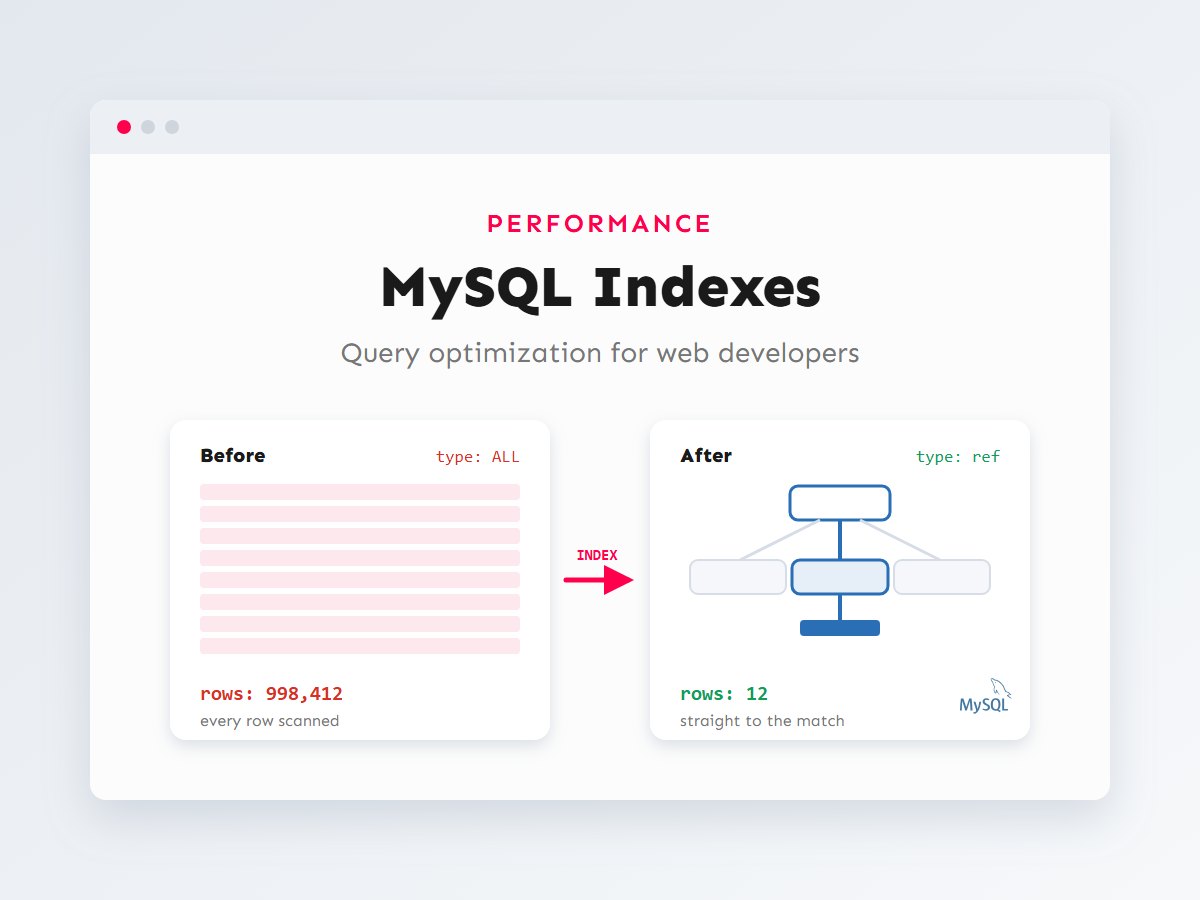
Before adding any index, ask MySQL how it plans to run the query. Put EXPLAIN in front of a SELECT and MySQL shows its plan without running it. Here’s a typical query from a customer account page, on an orders table with about a million rows and no extra indexes:
EXPLAIN SELECT id, total, created_at
FROM orders
WHERE customer_id = 4521 AND status = 'paid';

-- Simplified output (illustrative values):
-- type: ALL   possible_keys: NULL   key: NULL   rows: 998412   Extra: Using where
type: ALL and key: NULL mean a full table scan: MySQL expects to examine nearly a million rows to return a handful. Now add an index on the two filtered columns and run EXPLAIN again:
ALTER TABLE orders ADD INDEX idx_customer_status (customer_id, status);

EXPLAIN SELECT id, total, created_at
FROM orders
WHERE customer_id = 4521 AND status = 'paid';

-- type: ref   key: idx_customer_status   rows: 12   Extra: NULL
Same query, same data. MySQL now expects to read about a dozen rows instead of a million. These are the columns worth learning to read:
| Column | What to look for |
|---|---|
| type | How rows are found. From best to worst, roughly: const, eq_ref, ref, range, index (full index scan), ALL (full table scan). |
| possible_keys | Indexes MySQL could use. NULL means none fit the query. |
| key | The index MySQL actually chose. |
| rows | An estimate of rows to examine. The number to bring down. |
| Extra | Using index is good (covering index). Using filesort and Using temporary mean extra sorting work, worth checking on large tables. |
On MySQL 8.0.18 and later, EXPLAIN ANALYZE goes a step further: it actually runs the query and reports real timings and row counts next to the estimates. Use it on a copy of production data, not on a busy live server.
Composite indexes and column order
A composite index covers several columns, like (status, created_at). It’s sorted by the first column, then by the second within each value of the first, exactly like a phone book sorted by last name, then first name. That ordering leads to the most important rule of index design, the leftmost prefix rule:
From that rule come a few practical guidelines for choosing column order:
- Equality columns first, range columns last. In
WHERE status = ? AND created_at >= ?, putstatusbeforecreated_at. Once MySQL hits a range, it can’t use the columns that follow it for filtering. - Match your real queries. Design indexes from the queries your pages actually run, not from the table structure.
- One composite can replace several singles. An index on
(customer_id, status)also serves queries oncustomer_idalone, so a separate index oncustomer_idis redundant. - Include the sort column when you can. For
WHERE customer_id = ? ORDER BY created_at, an index on(customer_id, created_at)lets MySQL read rows already in order and skip the filesort.
Covering indexes
Normally MySQL uses the index to find matching rows, then fetches each full row from the table. If the index already contains every column the query needs, MySQL can answer from the index alone. That’s a covering index, and EXPLAIN shows it as Using index in the Extra column:
-- Count a customer's orders by status for a dashboard widget.
EXPLAIN SELECT status, COUNT(*)
FROM orders
WHERE customer_id = 4521
GROUP BY status;

-- With idx_customer_status (customer_id, status), every column used
-- is in the index, so MySQL never touches the table rows:
-- type: ref   key: idx_customer_status   Extra: Using index
Covering indexes are great for dashboards, counters and list pages that show a few columns. They’re one more reason to select only the columns you need instead of SELECT *.
Query patterns that defeat indexes
Sometimes the right index exists and MySQL still scans the table, because the query is written in a way the index can’t serve. These are the patterns I fix most often:
-- 1. A function on the indexed column: the index can't be used.
SELECT * FROM orders WHERE YEAR(created_at) = 2026;
-- Rewrite as a range on the raw column:
SELECT * FROM orders WHERE created_at >= '2026-01-01' AND created_at < '2027-01-01';

-- 2. A leading wildcard: B-tree indexes are sorted from the first character.
SELECT * FROM products WHERE sku LIKE '%4521';     -- scans
SELECT * FROM products WHERE sku LIKE 'ACME-45%';  -- can use an index on sku

-- 3. Comparing a string column to a number forces a conversion per row.
SELECT * FROM customers WHERE phone = 3001234567;   -- avoid
SELECT * FROM customers WHERE phone = '3001234567'; -- uses the index

-- 4. OR across different columns often prevents a single index lookup.
SELECT * FROM orders WHERE customer_id = 4521 OR coupon_code = 'EID';
-- Consider two indexed queries combined with UNION if this is slow.
To show how much the query shape matters, here’s an illustrative comparison of rows examined for three queries on the same million-row table. Note the scale: each step is ten times bigger than the last.
The third pair is the important lesson: an index is not a magic speed switch. If the query can’t use it, nothing changes. For real text search, look at MySQL’s FULLTEXT indexes, or at a search tool designed for it.
When not to add an index
It’s just as important to know when an index won’t pay off. Skip it, or think twice, when:
- The table is small. Scanning a few hundred rows is instant, and MySQL may ignore the index anyway.
- The column has very few distinct values on its own, like a yes/no flag where most rows share one value. An index alone rarely narrows the search enough; as part of a composite index it can still help.
- The table is write-heavy and rarely read, such as a raw event log. Every index slows down each insert.
- An existing index already covers it. An index on
(a)is redundant if you have(a, b). Remove duplicates; they cost writes and memory for no benefit.
To review what a table already has, run SHOW INDEX FROM orders;. On MySQL 8 the sys schema can also list indexes that are never used, through the sys.schema_unused_indexes view. Treat its output as a hint, not a verdict, because an index that looks unused might only be needed by a monthly report.
Indexes in WordPress and WooCommerce
WordPress stores custom fields in wp_postmeta, a key–value table with indexes on post_id and on meta_key (a prefix of it). There’s no index on meta_value, which is a LONGTEXT column. So a meta_query that filters on a value, such as “events where event_date is after today”, has to check the value of every row with that key. On a big site, that’s where WordPress queries get slow.
There are three good ways out, in the order I usually consider them:
- Use a taxonomy for values you filter by, like a category, brand or region. Taxonomy queries go through indexed term tables. (More on this in custom post types and custom fields.)
- Give structured data its own table with proper columns and indexes, created from your plugin. This is what WooCommerce did with order data: its High-Performance Order Storage moves orders out of posts and post meta into dedicated, indexed tables.
- Write leaner queries. Request only IDs when that’s all you need, avoid unbounded queries, and measure with Query Monitor. My guide to mastering WP_Query goes deeper.
Here’s how a custom plugin creates its own indexed table with WordPress’s dbDelta() function, which also handles future schema changes:
<?php
function acme_create_bookings_table() {
	global $wpdb;

	$table   = $wpdb->prefix . 'acme_bookings';
	$charset = $wpdb->get_charset_collate();

	// dbDelta is strict: two spaces after PRIMARY KEY, one field per line.
	$sql = "CREATE TABLE $table (
		id bigint(20) unsigned NOT NULL AUTO_INCREMENT,
		customer_id bigint(20) unsigned NOT NULL,
		status varchar(20) NOT NULL DEFAULT 'pending',
		starts_at datetime NOT NULL,
		PRIMARY KEY  (id),
		KEY customer_status (customer_id,status),
		KEY starts_at (starts_at)
	) $charset;";

	require_once ABSPATH . 'wp-admin/includes/upgrade.php';
	dbDelta( $sql );
}
register_activation_hook( __FILE__, 'acme_create_bookings_table' );

// Query it with a prepared statement:
$rows = $wpdb->get_results(
	$wpdb->prepare(
		"SELECT id, starts_at FROM {$wpdb->prefix}acme_bookings
		 WHERE customer_id = %d AND status = %s
		 ORDER BY starts_at LIMIT 20",
		$customer_id,
		'confirmed'
	)
);
Indexes in Laravel
In Laravel, indexes belong in migrations so every environment gets the same schema. Foreign keys created with foreignId()->constrained() get an index automatically on MySQL; everything else you declare yourself:
use Illuminate\Database\Migrations\Migration;
use Illuminate\Database\Schema\Blueprint;
use Illuminate\Support\Facades\Schema;

return new class extends Migration
{
    public function up(): void
    {
        Schema::create('orders', function (Blueprint $table) {
            $table->id();
            $table->foreignId('customer_id')->constrained(); // FK, indexed
            $table->string('status', 20);
            $table->decimal('total', 10, 2);
            $table->timestamps();

            // Composite index for "orders by status, newest first" listings.
            $table->index(['status', 'created_at']);
        });
    }

    public function down(): void
    {
        Schema::dropIfExists('orders');
    }
};

// Adding an index to an existing table in a new migration:
Schema::table('orders', function (Blueprint $table) {
    $table->index(['customer_id', 'status']);
});
Two Laravel-specific tips. First, the biggest database problem in Laravel apps is often not a missing index but the N+1 query problem: loading a list, then running one extra query per item. Eager loading with with() fixes it, and I explain it in Eloquent relationships explained. Second, you can see the plan for any query builder query with ->explain(), for example Order::where('status', 'paid')->explain()->dd().
Finding the slow queries
Don’t guess which queries to optimize. Measure first, then fix the slowest and most frequent ones. MySQL’s slow query log records every query that takes longer than a threshold you choose:
# my.cnf / mysqld.cnf
[mysqld]
slow_query_log      = 1
slow_query_log_file = /var/log/mysql/slow.log
long_query_time     = 1   # seconds; lower it while investigating
Inside your application you can catch slow queries too. In WordPress, the Query Monitor plugin lists every query on a page with its time and the code that called it. In Laravel, a listener in a service provider can log anything slower than a limit:
// app/Providers/AppServiceProvider.php
use Illuminate\Database\Events\QueryExecuted;
use Illuminate\Support\Facades\DB;
use Illuminate\Support\Facades\Log;

public function boot(): void
{
    DB::listen(function (QueryExecuted $query) {
        if ($query->time > 500) { // milliseconds
            Log::warning('Slow query', [
                'sql'      => $query->sql,
                'bindings' => $query->bindings,
                'time_ms'  => $query->time,
            ]);
        }
    });
}
Then follow the same loop every time: take a slow query, run EXPLAIN, add or adjust one index (or rewrite the query), run EXPLAIN again and confirm the rows estimate dropped. Test on a copy of real data, because a query that’s fast on a hundred rows tells you nothing.
Key takeaways
- An index is a sorted structure that lets MySQL jump to matching rows instead of scanning the table.
- Use
EXPLAINbefore and after every change; watchtype,keyandrows. - Composite indexes follow the leftmost prefix rule: equality columns first, range and sort columns last.
- Functions on columns, leading wildcards and type mismatches stop indexes from being used.
- In WordPress, avoid filtering on meta values at scale; use taxonomies or custom tables. In Laravel, declare indexes in migrations and eager-load relationships.
Database work is some of the most rewarding performance work there is: one index can turn a page that takes seconds into one that loads instantly. If your WordPress site, WooCommerce store or Laravel app is slowing down as it grows, get in touch and I’ll help you find and fix the queries behind it. For the wider picture, see my WordPress speed optimization checklist.