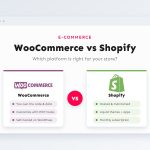
“Should I build my store on WooCommerce or Shopify?” is one of the questions I am asked most often, and I am in an unusual position to answer it: I build and customize stores on both. I do not have a favourite to sell you. Each platform is excellent for some businesses and a poor fit for others, and the wrong choice usually shows up a year later as either a pile of monthly app fees or a pile of maintenance work nobody planned for.
This comparison is written for store owners who want to make that decision with their eyes open. I cover ownership, real running costs, how far each platform can be customized, maintenance, SEO, scaling and migration, and finish with a simple decision flowchart. Where I mention prices, they are what each company published at the time of writing; always check the official pricing pages before you commit.
In this article
The short answer
Shopify is a hosted, all-in-one service: you rent a store that Shopify runs, secures and updates for you. WooCommerce is a free, open-source plugin that turns a WordPress site into a store, which you host and run yourself (or with the help of a host and a developer). That one difference, renting versus owning, drives almost every other point in this article.
| Aspect | Shopify | WooCommerce |
|---|---|---|
| Model | Hosted SaaS, monthly subscription | Free plugin for self-hosted WordPress |
| Getting started | Sign up and launch in days | Needs hosting, setup and configuration |
| Monthly platform fee | Yes (plans from $29–$39 at the time of writing) | None; you pay for hosting instead |
| Extra transaction fees | Only if you use a third-party payment provider instead of Shopify Payments | None from WooCommerce; only your gateway’s fees |
| Customization | Themes in Liquid, apps, Shopify Functions; checkout is restricted | Anything PHP can do, including checkout and pricing logic |
| Maintenance | Handled by Shopify | Your responsibility (updates, backups, security) |
| Content and blogging | Basic blog | Full WordPress content tools |
| Data ownership | Exportable, but lives on Shopify’s platform | Fully yours: files and database on your server |
| Best for | Merchants who want to focus on selling, not software | Businesses needing custom logic, content-led sites, full control |
Ownership and control
With WooCommerce, the code, the database and every customer and order record live on a server you control. You can move host whenever you like, query your data directly, connect it to any system and keep the store running for as long as you want. Nobody can change your pricing, remove a feature you depend on or decide that your product category is no longer welcome.
With Shopify, you work inside Shopify’s rules. You can export your products, customers and orders, but you cannot take the platform with you, and your store is subject to Shopify’s terms of service and acceptable use policy. For most merchants that is a perfectly reasonable trade: in exchange for less control, you get a platform that just works. But if your business model is unusual, heavily regulated, or depends on integrations Shopify does not allow, ownership becomes a deciding factor.
What each platform really costs
Comparing costs by looking only at the subscription price is misleading. “WooCommerce is free” ignores hosting, premium extensions and maintenance; “Shopify is only $29” ignores apps and payment fees. Here are the components that actually make up the monthly bill.
Shopify
- Plan: at the time of writing, Shopify’s pricing page lists Basic at $39/month ($29/month billed yearly), Grow at $105 ($79 yearly) and Advanced at $399 ($299 yearly), with Shopify Plus for large businesses. Prices vary by region.
- Card processing: with Shopify Payments, a per-transaction rate that drops on higher plans.
- Third-party gateway fee: if you use another payment provider (common in countries where Shopify Payments is not available), Shopify adds its own fee on top of that provider’s fee, listed at 2% on Basic, 1% on Grow and 0.6% on Advanced at the time of writing.
- Apps: many stores add reviews, subscriptions, bundles, filters or email apps, often each with a monthly fee.
- Theme: free themes are available; premium themes are a one-off purchase.
WooCommerce
- Hosting: from cheap shared hosting to managed WordPress or cloud hosting. For a store, I recommend decent managed hosting; cheap hosting is a false economy once you take orders.
- Card processing: whatever your gateway charges (Stripe, PayPal, WooPayments or a local gateway). WooCommerce itself takes nothing.
- Extensions: many are free; premium ones usually have yearly licences for updates and support.
- Maintenance: updates, backups, security and fixes need someone’s time, either yours or a developer’s.
To make this concrete, here is an illustrative model for a small store. It is not a quote, and your numbers will be different; the point is to show which costs matter.
Three lessons hold true across almost every store I have priced:
- Card processing dwarfs everything else once you have real sales, and it is roughly comparable on both platforms. Negotiating payment rates or choosing the right plan matters more than the subscription.
- Shopify’s third-party gateway fee is the cost to watch. In the example above, using an external gateway on Basic would add 2% of $10,000, which is $200 a month, more than every other Shopify line combined.
- WooCommerce’s hidden cost is people, not software. If you or your team can handle updates comfortably, it is cheap to run. If every small change needs a developer, budget for it honestly.
Customization: Liquid vs PHP hooks
Both platforms can be customized heavily, but they draw the line in very different places.
Shopify themes are written in Liquid, Shopify’s templating language, and since Online Store 2.0 they are built from sections and blocks that merchants can rearrange in the theme editor. Developers can change the storefront almost without limit. Business logic is another story: discounts, shipping and payment rules are customized through Shopify Functions and apps, and deeper checkout customization is largely reserved for Shopify Plus. You customize within the platform’s extension points. I explain the theme side in detail in Shopify theme development with Liquid and Online Store 2.0.
WooCommerce runs on your server in PHP, and almost every step of the shopping process exposes an action or filter hook. Custom checkout fields, pickup-or-delivery logic, role-based pricing, B2B quotes, bookings, unusual tax rules: if PHP can do it, WooCommerce can do it, without asking anyone’s permission. Here is how small such a change can be:
<?php
// WooCommerce: 10% off for logged-in wholesale customers.
add_filter( 'woocommerce_product_get_price', function ( $price, $product ) {
	if ( in_array( 'wholesale_customer', wp_get_current_user()->roles, true ) ) {
		return (float) $price * 0.9;
	}
	return $price;
}, 10, 2 );
The equivalent on Shopify would typically be a discount app, a Shopify Function, or a B2B feature tied to a specific plan. Neither approach is wrong; they reflect the rent-versus-own model. My article on WooCommerce customization beyond the default store shows more real examples of what the hooks make possible.
Apps vs plugins
Both ecosystems are huge, so “is there an extension for it?” is rarely the problem. The differences are in how extensions behave:
- Shopify apps usually run on the app developer’s own servers and talk to your store through Shopify’s APIs. They cannot break your store’s core, they update themselves, and most are billed monthly. The downside: costs stack up, some apps inject scripts that slow the storefront, and uninstalled apps can leave code behind in the theme.
- WordPress plugins run inside your site, with full access to it. That makes them extremely powerful and often cheaper (many are free or a yearly licence), but a bad plugin can slow down, break or compromise the whole site, and you are responsible for updating them. My WordPress security checklist covers how to manage that risk.
Maintenance and security: who does what
This is the part of the decision that owners most often underestimate. On Shopify, the platform takes care of the infrastructure. On WooCommerce, you own it, and owning it means looking after it.
A note on backups: Shopify keeps its platform running, but it does not offer a simple “restore my store to last Tuesday” button for your own products, themes and content. If someone bulk-edits 2,000 products by mistake, you need a backup app or your own exports. On WooCommerce, regular off-site backups of files and database cover everything.
On PCI compliance (the card industry’s security standard): Shopify’s checkout is PCI-compliant out of the box. With WooCommerce, using a gateway with hosted or embedded payment fields such as Stripe or PayPal keeps card data off your server and greatly reduces your compliance scope, but the security of the rest of the site is still yours to manage.
Performance and scaling
Shopify handles traffic spikes, such as a product launch or a sale weekend, without you thinking about servers, and its storefront is served from a global CDN. The main performance risk on Shopify comes from heavy themes and too many app scripts, which a developer can audit and trim.
WooCommerce scales as well as the hosting and code behind it. Large WooCommerce stores exist, but they run on properly configured servers with object caching, a CDN and tuned databases, and WooCommerce’s High-Performance Order Storage (HPOS) moves orders into dedicated tables for faster queries. Small stores on cheap shared hosting are where WooCommerce gets its reputation for being slow. My WordPress speed optimization checklist covers what makes the difference.
SEO and content
Both platforms can rank well; good products, good content and a fast site matter far more than the platform. There are still some practical differences:
- URLs: Shopify uses fixed URL prefixes such as
/products/,/collections/and/pages/. WordPress lets you design your URL structure freely. - Content: WordPress is the stronger content platform by a distance. If your growth plan relies on guides, articles and landing pages, WooCommerce keeps the shop and the content in one system.
- Technical SEO: Shopify handles the basics (sitemaps, canonical tags, editable titles and descriptions, an editable
robots.txt) well. WordPress with an SEO plugin such as Yoast offers finer control over schema, indexing and redirects.
Switching later: migration
You are not locked in forever on either platform. Products, customers and orders can be moved in both directions with CSV exports, importer apps or the platforms’ APIs. What is harder to move: custom functionality (Liquid code does not become PHP, or the other way around), app-specific data such as reviews or subscriptions, customer passwords (customers usually need to reset them) and, most importantly for SEO, your URLs.
If you ever migrate, map every old product, collection and page URL to its new address and set up 301 redirects before launch. A migration without redirects can wipe out years of search rankings overnight.
Which one fits you?
When I help a client choose, I ask three questions in this order. The first “yes” usually settles it:
Choose Shopify if…
- You want to launch quickly and spend your time on products and marketing, not software.
- You don’t have (or want) a developer on call for updates and fixes.
- Your store follows a fairly standard catalogue, cart and checkout flow.
- Shopify Payments is available in your country, so you avoid the third-party gateway fee.
Choose WooCommerce if…
- You already run a WordPress site, or content marketing is central to your growth.
- You need custom pricing, checkout, shipping or B2B logic that would otherwise mean a stack of paid apps.
- You want full ownership of your data and the freedom to host anywhere.
- You have a developer or a reliable maintenance plan, and are comfortable owning updates and security.
Key takeaways
- Shopify is renting a well-run store; WooCommerce is owning one. Most other differences follow from that.
- Compare total monthly cost, not subscription price. Card processing dominates, and Shopify’s third-party gateway fee can be significant.
- WooCommerce’s flexibility is nearly unlimited, but maintenance is your job. Shopify’s maintenance is done for you, inside the platform’s limits.
- Content-led or custom-logic businesses lean WooCommerce; “just let me sell” businesses lean Shopify.
- Migration is possible either way, but plan your 301 redirects carefully.
Still not sure which one suits your business? Tell me about your products, your team and your plans for the next couple of years, and I will give you an honest recommendation, even if the answer is the platform I would have less work on. Get in touch here, or see the WooCommerce and Shopify services I offer.