
“Should we build it with Elementor, the block editor or a custom theme?” It’s one of the first questions on almost every WordPress project, and the answer shapes everything that follows: how fast you launch, how the site performs, how easy it is for your team to edit, and how painful it will be to change in three years.
I build with all three. I’ve delivered Elementor sites for clients who wanted visual control, block-based sites with custom blocks, and custom themes for projects where performance and structure mattered most. So this isn’t a “one tool is best” article. It’s a practical comparison of the trade-offs, with a decision guide and short code examples showing how each approach is extended by a developer.
In this article
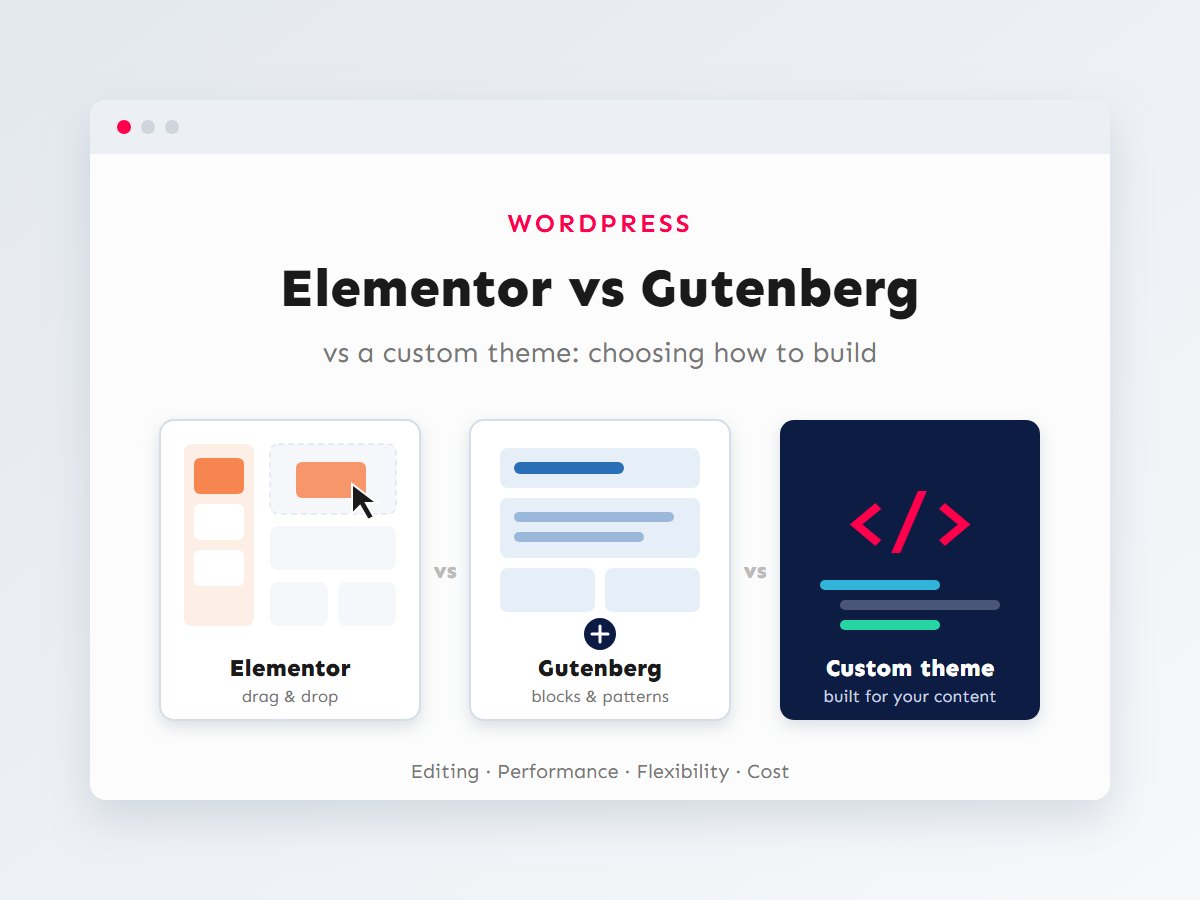
The three approaches in one minute
- Elementor is a visual page-builder plugin. You drag widgets onto a live canvas and style them with controls. It has a free version and a paid Pro version with extra widgets, the theme builder, forms and popups.
- Gutenberg (the block editor) is WordPress’s built-in editor. Content is built from blocks; with a block theme, the Site Editor lets you edit headers, footers and templates the same way, with global styles controlled by
theme.json. - A custom theme is code written for one site: templates, styles and custom blocks or fields designed around its exact content. Editors fill in structured content rather than designing layouts.
These aren’t strictly exclusive. A custom block theme with custom blocks is both “Gutenberg” and “custom”. Still, the three represent different philosophies about who controls the design: the editor, the system, or the developer.
Side-by-side comparison
| Aspect | Elementor | Gutenberg / block theme | Custom theme |
|---|---|---|---|
| Who designs pages | Editors, visually | Editors, within theme rules | Developer; editors fill content |
| Learning curve | Low for basics | Low to moderate | Lowest for editors; needs a developer to change layouts |
| Cost | Free core; Pro is a yearly licence | Included in WordPress | Development time upfront |
| Front-end weight | Heavier by default | Light; loads block CSS as needed | As light as you build it |
| Design consistency | Easy to drift page by page | Good with global styles and patterns | Strongest: enforced by templates |
| Switching away later | Hard: layouts are stored in Elementor’s own format | Easy: blocks are core HTML | Content portable if structured well |
Editing experience
Elementor gives the most immediate visual control. Marketing teams love being able to build a landing page without waiting for a developer. The flip side is that the same freedom lets anyone change spacing, fonts and colours on one page, so sites drift away from the brand over time unless you set up global colours, fonts and saved templates and use them consistently.
The block editor has matured into a capable layout tool. With a well-built block theme, editors get reusable patterns (ready-made sections they insert and fill in) and design options that are deliberately limited by theme.json to the brand’s colours, fonts and spacing scale. That’s slightly less freedom than Elementor, by design.
A custom theme with structured fields gives the simplest editing experience for repetitive content. Editing a team member means filling in name, role, photo and bio, and the layout is guaranteed to be right. It’s ideal for content-heavy sites and directories, but editors can’t invent new layouts without a developer.
Performance
Page builders have to support every possible layout, so their output typically includes more wrapper elements, more CSS and more JavaScript than a hand-built template. Elementor has improved a lot here: Flexbox containers, leaner DOM output and conditional asset loading all help. But on average, I still see Elementor sites start from a heavier baseline, and the weight grows with every add-on plugin installed.
Block themes output close-to-semantic HTML and WordPress loads the CSS only for blocks used on the page. Custom themes can be the lightest of all, if they’re built carefully. In every case, the bigger factors are images, fonts, third-party scripts, caching and hosting, which I cover in my Core Web Vitals checklist. A disciplined Elementor build can outperform a sloppy custom theme.
Flexibility and lock-in
This is the criterion people underestimate. Elementor stores page layouts as its own JSON data in post meta. If you deactivate Elementor, those pages lose their layout and leave behind fragments of content. Moving away later usually means rebuilding pages.
Block content is stored as regular HTML with comment delimiters in post_content. Switch themes and the content still renders sensibly, because the core blocks travel with WordPress. Custom themes are portable if the content lives in posts, custom post types and fields, with logic in plugins rather than in the theme. I explain that principle in custom post types and custom fields.
Lock-in isn’t automatically bad
If Elementor lets your team ship campaigns weekly without a developer, that value can easily outweigh the cost of a rebuild years from now. The point is to choose it knowingly, not to discover it during a redesign.
How a developer extends each one
All three can be extended with custom code, which matters when the built-in options run out. Here’s what a simple custom component, a “stat card” showing a number and a label, looks like in Elementor and as a block.
A custom Elementor widget
Elementor widgets are PHP classes extending \Elementor\Widget_Base. Controls define the editing panel; render() outputs the HTML.
<?php
class Acme_Stat_Card_Widget extends \Elementor\Widget_Base {

	public function get_name() {
		return 'acme_stat_card';
	}

	public function get_title() {
		return esc_html__( 'Stat Card', 'acme' );
	}

	public function get_icon() {
		return 'eicon-number-field';
	}

	public function get_categories() {
		return array( 'general' );
	}

	protected function register_controls() {
		$this->start_controls_section( 'content', array( 'label' => esc_html__( 'Content', 'acme' ) ) );

		$this->add_control(
			'number',
			array(
				'label'   => esc_html__( 'Number', 'acme' ),
				'type'    => \Elementor\Controls_Manager::TEXT,
				'default' => '120+',
			)
		);

		$this->add_control(
			'label',
			array(
				'label'   => esc_html__( 'Label', 'acme' ),
				'type'    => \Elementor\Controls_Manager::TEXT,
				'default' => esc_html__( 'Projects delivered', 'acme' ),
			)
		);

		$this->end_controls_section();
	}

	protected function render() {
		$settings = $this->get_settings_for_display();
		printf(
			'<div class="acme-stat"><strong>%s</strong><span>%s</span></div>',
			esc_html( $settings['number'] ),
			esc_html( $settings['label'] )
		);
	}
}

add_action( 'elementor/widgets/register', function ( $widgets_manager ) {
	$widgets_manager->register( new Acme_Stat_Card_Widget() );
} );
The same component as a block
Blocks are described in block.json. With a server-rendered (dynamic) block, the frontend markup comes from a small PHP file, and the editor UI is a React component (omitted here for brevity).
{
	"$schema": "https://schemas.wp.org/trunk/block.json",
	"apiVersion": 3,
	"name": "acme/stat-card",
	"title": "Stat Card",
	"category": "widgets",
	"attributes": {
		"number": { "type": "string", "default": "120+" },
		"label": { "type": "string", "default": "Projects delivered" }
	},
	"supports": { "color": { "background": true, "text": true }, "spacing": { "padding": true } },
	"editorScript": "file:./index.js",
	"render": "file:./render.php"
}
<?php // render.php: $attributes holds the saved values.
?>
<div <?php echo get_block_wrapper_attributes( array( 'class' => 'acme-stat' ) ); ?>>
<strong><?php echo esc_html( $attributes['number'] ); ?></strong>
<span><?php echo esc_html( $attributes['label'] ); ?></span>
</div>Notice the supports key: with two lines, the block gets WordPress’s native colour and padding controls, restricted to the palette in theme.json. The full workflow, including the React editor component and build tooling, is in my guide to building custom Gutenberg blocks with React.
Which one should you choose?
In short:
- Choose Elementor when a marketing team needs to create varied landing pages quickly and independently, and accepts a heavier baseline and some lock-in in exchange.
- Choose a block theme as the default for most business websites: modern, light, future-proof, and editable within guard rails.
- Choose a custom theme (classic or block-based) when content is highly structured, performance is critical, or the design must be enforced precisely.
The hybrid approach I often recommend
Many of my projects end up as a hybrid that takes the best of each:
- A custom block theme with
theme.jsonlocking in the brand’s colours, typography and spacing. - A library of patterns for common sections (heroes, feature grids, testimonials, CTAs) so editors can build new pages from approved pieces.
- A few custom blocks for the components patterns can’t express, like pricing tables or interactive elements.
- Custom post types and fields, registered in a plugin, for structured content like projects, team members or listings.
Editors get real flexibility, the site stays consistent and fast, and nothing is locked into a third-party format. For existing Elementor sites, I usually recommend not rebuilding just for the sake of it. Instead, tighten global styles, remove unused add-ons and build any new, complex functionality as code, so a future migration gets easier over time.
Questions to ask before you decide
When I scope a new site with a client, these questions usually settle the choice faster than any feature comparison:
- Who will edit the site week to week, and what will they change? Updating text and images is easy in all three. Designing brand-new page layouts points towards Elementor or a pattern-rich block theme.
- How much of the content repeats in the same shape? Fifty team members, two hundred products or a property directory are a strong case for structured fields in a custom theme.
- How important is speed to the business? For e-commerce and lead generation, page speed affects revenue directly, which favours a lean block or custom theme.
- How long should this build last? A one-season campaign site and a five-year company website justify very different upfront investments.
- Who maintains it after launch? If there’s no developer on hand, a well-documented block theme or a disciplined Elementor setup is easier for a future agency or freelancer to pick up than a complex, undocumented custom build.
Already have a site? Improving what you’ve got
Most people asking this question already have a website. Rebuilding is rarely the first step. Here’s what I usually do instead, depending on the starting point:
- Elementor site that feels slow or messy: set up global colours and fonts and convert one-off styles to them, replace old section/column layouts with Flexbox containers, enable Elementor’s performance features, remove add-on packs you barely use, and fix images and caching. That often recovers most of the performance gap.
- Classic theme with an old page builder: plan a gradual move to blocks. New pages are built with blocks and patterns; old pages are converted when they’re next updated.
- Site where editors keep breaking layouts: introduce structured content (custom post types and fields) for the repeating parts, and patterns or locked templates for the rest.
If you do rebuild, treat it as a migration project: inventory every page, keep URLs the same (or redirect them), and move content into structures that will outlast the next redesign. My guide on how to migrate a WordPress site safely covers the moving parts.
Key takeaways
- Elementor maximizes visual freedom and launch speed, with a heavier baseline and real lock-in.
- Block themes are the modern default: light, portable and editable within brand guard rails.
- Custom themes win on structure, consistency and performance, at a higher upfront cost.
- All three can be extended: Elementor widgets in PHP, blocks in
block.json+ React/PHP. - Whatever you choose, keep content structure and business logic in plugins.
There’s no universally right answer, only the right fit for your team, content and goals. If you’re about to start a WordPress project, or you’re unhappy with how your current site is built, tell me about it and I’ll recommend the approach that fits. You can also see when it’s worth going fully custom in custom WordPress development: when do you need it?