
If you have spent years building with WordPress, opening a fresh Laravel project can feel strange. There is no admin dashboard, no theme folder, no plugin screen. Yet within a few days you realize that most of what you already know carries over. You already understand requests, templates, databases, hooks and security. Laravel just organizes them differently, and more explicitly.
I work with both every week, so this guide is the introduction I would have wanted when I started. It maps the WordPress concepts you know to their Laravel equivalents, walks through how a request travels through a Laravel app, and then builds a small but complete CRUD feature (routes, migration, model, controller, validation and Blade views) so you can see every piece working together.
In this article
Why a WordPress developer should learn Laravel
WordPress is brilliant at what it was designed for: publishing content and running websites that editors manage themselves. Its admin, its plugin ecosystem and its familiarity for clients are hard to beat. But some projects are not really websites. They are applications: booking systems, internal dashboards, client portals, APIs for mobile apps, SaaS products. You can bend WordPress into these shapes, but you end up fighting the posts-and-pages data model and loading a CMS you barely use.
Laravel is a PHP framework built for exactly those projects. You design your own database tables, your own URLs and your own screens, and the framework gives you clean, well-tested building blocks for everything around them: routing, validation, authentication, queues, email, caching and testing. Because it is PHP, the language you already know, the learning curve is mostly about structure, not syntax. If you want help deciding which tool fits a specific project, I compare them directly in Laravel vs WordPress.
WordPress concepts, translated to Laravel
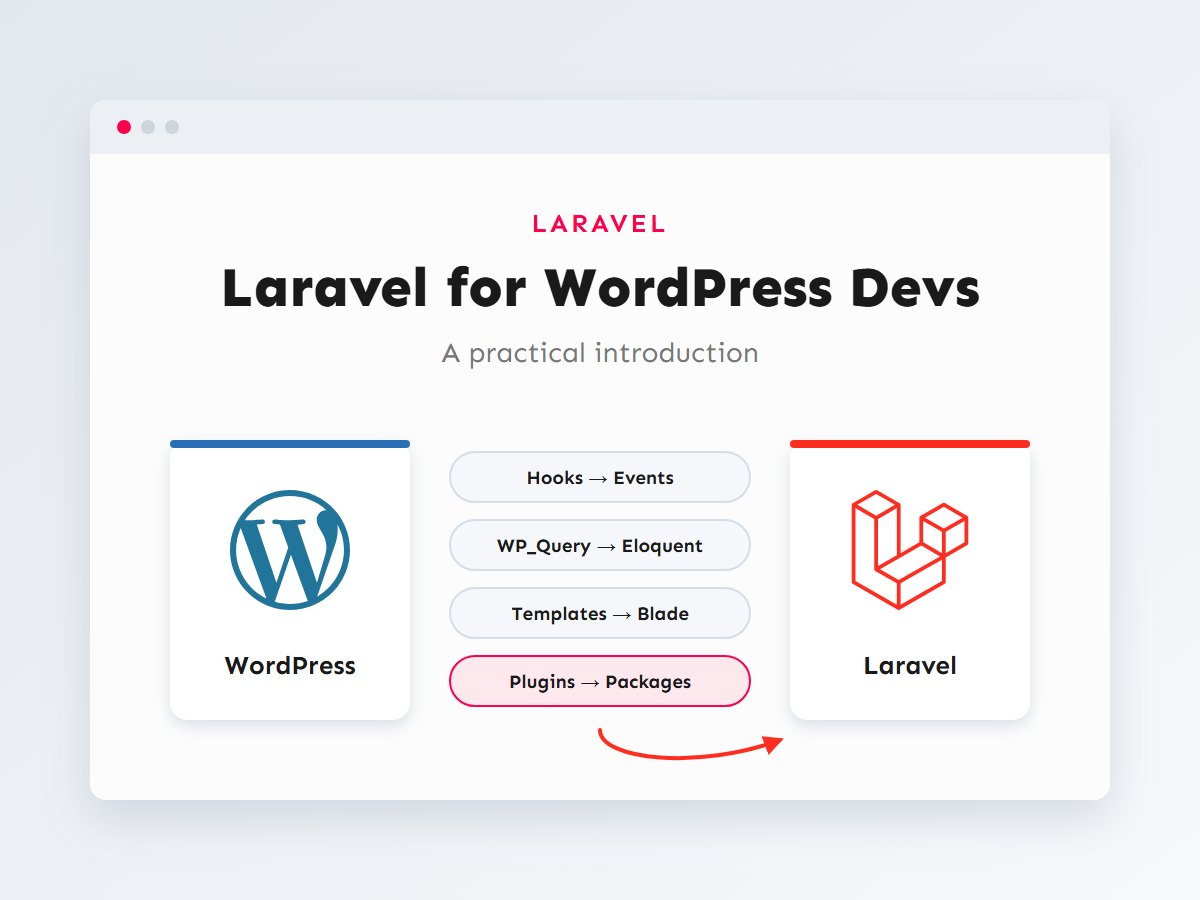
The fastest way to get comfortable is to stop treating Laravel as something new and start treating it as a different arrangement of things you already do. Here is the mental map I use:
A few of these deserve a closer look:
- Hooks → events and middleware. WordPress hooks do two jobs: reacting to things that happened (
save_post) and changing a request on its way through (template_redirect). Laravel splits these. Events and listeners react to things (“an order was placed, send the receipt”), and middleware wraps requests (“only logged-in users may continue”). If hooks are second nature to you, my guide to actions and filters shows the parallel clearly. - WP_Query → Eloquent. Instead of one generic posts table queried with arguments, each table gets its own model class.
Project::where('status', 'active')->latest()->paginate(10)reads almost like English. - Templates → Blade. Blade is PHP templating with a cleaner syntax, layouts and reusable components.
{{ $title }}is escaped automatically, which is the Blade equivalent of always wrapping output inesc_html(). - dbDelta → migrations. Every change to the database schema is a versioned PHP file you commit to Git, so every environment (your laptop, staging, production) gets exactly the same tables.
How a request flows through Laravel
In WordPress, every request boots the whole CMS, runs the main query based on the URL, and then picks a template from the hierarchy. Laravel is more direct: the URL is matched against routes you define, and the matching route decides exactly which code runs.
Every web request enters through public/index.php, just as WordPress requests enter through its own index.php. Laravel boots the application (configured in bootstrap/app.php), sends the request through middleware (sessions, CSRF protection, authentication), lets the router find the matching route, and runs the controller method that route points to. The controller fetches data through Eloquent and returns a Blade view, which becomes the HTTP response.
Where things live in a Laravel project
You create a new project with Composer or the Laravel installer, both of which set up the same structure:
# With the Laravel installer
laravel new client-portal

# Or with Composer
composer create-project laravel/laravel client-portal

cd client-portal
php artisan serve   # http://127.0.0.1:8000
The .env file is worth special attention. It plays the role of the database constants in wp-config.php, plus API keys and mail settings. It is different on every environment and should never be committed to Git; .env.example is the template you commit instead.
Building a mini CRUD feature step by step
Let’s build something real: a small Projects manager where you can list, create, edit and delete projects. In WordPress you might reach for a custom post type. In Laravel, you design the table yourself.
Step 1: Generate the model, migration and controller
Artisan, Laravel’s command-line tool, can scaffold all three files in one go:
php artisan make:model Project --migration --controller --resourceStep 2: Describe the table in a migration
<?php
// database/migrations/2026_04_06_000000_create_projects_table.php

use Illuminate\Database\Migrations\Migration;
use Illuminate\Database\Schema\Blueprint;
use Illuminate\Support\Facades\Schema;

return new class extends Migration
{
    public function up(): void
    {
        Schema::create('projects', function (Blueprint $table) {
            $table->id();
            $table->string('title');
            $table->string('client')->nullable();
            $table->enum('status', ['planned', 'active', 'done'])->default('planned');
            $table->date('due_on')->nullable();
            $table->timestamps(); // created_at and updated_at
        });
    }

    public function down(): void
    {
        Schema::dropIfExists('projects');
    }
};
Run php artisan migrate and the table exists. The down() method describes how to undo the change, so php artisan migrate:rollback can reverse it, something dbDelta() never offered.
Step 3: Configure the model
<?php
// app/Models/Project.php

namespace App\Models;

use Illuminate\Database\Eloquent\Model;

class Project extends Model
{
    // Columns that may be filled from a form (mass assignment protection).
    protected $fillable = ['title', 'client', 'status', 'due_on'];

    protected function casts(): array
    {
        return [
            'due_on' => 'date', // Becomes a Carbon date object.
        ];
    }
}
The $fillable list is a security feature. It stops an attacker from adding extra fields (say, is_admin) to a form and having them saved.
Step 4: Register the routes
<?php
// routes/web.php

use App\Http\Controllers\ProjectController;
use Illuminate\Support\Facades\Route;

Route::resource('projects', ProjectController::class)->middleware('auth');
That one line creates seven routes: list (GET /projects), create form, store, show, edit form, update and delete. Run php artisan route:list to see them all. The auth middleware is the equivalent of checking is_user_logged_in() at the top of every page, applied once.
Step 5: Write the controller
<?php
// app/Http/Controllers/ProjectController.php

namespace App\Http\Controllers;

use App\Models\Project;
use Illuminate\Http\Request;

class ProjectController extends Controller
{
    public function index()
    {
        $projects = Project::latest()->paginate(10);

        return view('projects.index', compact('projects'));
    }

    public function create()
    {
        return view('projects.form', ['project' => new Project()]);
    }

    public function store(Request $request)
    {
        Project::create($this->validated($request));

        return redirect()->route('projects.index')->with('status', 'Project created.');
    }

    public function edit(Project $project) // Route model binding: loaded by ID automatically.
    {
        return view('projects.form', compact('project'));
    }

    public function update(Request $request, Project $project)
    {
        $project->update($this->validated($request));

        return redirect()->route('projects.index')->with('status', 'Project updated.');
    }

    public function destroy(Project $project)
    {
        $project->delete();

        return back()->with('status', 'Project deleted.');
    }

    private function validated(Request $request): array
    {
        return $request->validate([
            'title'  => ['required', 'string', 'max:255'],
            'client' => ['nullable', 'string', 'max:255'],
            'status' => ['required', 'in:planned,active,done'],
            'due_on' => ['nullable', 'date'],
        ]);
    }
}
Notice how much WordPress boilerplate disappears. There is no nonce field to check by hand (CSRF protection is middleware), no sanitize_text_field() on every input (validation rules reject bad data and send the user back with error messages), and no manual “load the post by ID, check it exists” (route model binding returns a 404 automatically). For larger forms, I move the rules into dedicated classes, as explained in Laravel form requests and validation.
Step 6: Create the Blade views
{{-- resources/views/projects/index.blade.php --}}
<x-app-layout>
    <h1>Projects</h1>

    @if (session('status'))
        <p class="notice">{{ session('status') }}</p>
    @endif

    <a href="{{ route('projects.create') }}">New project</a>

    <table>
        @forelse ($projects as $project)
            <tr>
                <td>{{ $project->title }}</td>
                <td>{{ $project->client ?? '—' }}</td>
                <td>{{ ucfirst($project->status) }}</td>
                <td>{{ $project->due_on?->format('d M Y') }}</td>
                <td>
                    <a href="{{ route('projects.edit', $project) }}">Edit</a>
                    <form method="POST" action="{{ route('projects.destroy', $project) }}">
                        @csrf
                        @method('DELETE')
                        <button type="submit">Delete</button>
                    </form>
                </td>
            </tr>
        @empty
            <tr><td colspan="5">No projects yet.</td></tr>
        @endforelse
    </table>

    {{ $projects->links() }}
</x-app-layout>
And the shared create/edit form:
{{-- resources/views/projects/form.blade.php --}}
<x-app-layout>
    @php($editing = $project->exists)

    <h1>{{ $editing ? 'Edit project' : 'New project' }}</h1>

    <form method="POST"
          action="{{ $editing ? route('projects.update', $project) : route('projects.store') }}">
        @csrf
        @if ($editing) @method('PUT') @endif

        <label for="title">Title</label>
        <input id="title" name="title" value="{{ old('title', $project->title) }}" required>
        @error('title') <p class="error">{{ $message }}</p> @enderror

        <label for="status">Status</label>
        <select id="status" name="status">
            @foreach (['planned', 'active', 'done'] as $status)
                <option value="{{ $status }}" @selected(old('status', $project->status) === $status)>
                    {{ ucfirst($status) }}
                </option>
            @endforeach
        </select>

        <button type="submit">Save</button>
    </form>
</x-app-layout>
@csrf adds the hidden token (Laravel’s nonce), old() refills the form after a validation error, and @error prints the message for a specific field. The <x-app-layout> component is the layout that holds your header and footer, comparable to get_header() and get_footer(). If you install one of Laravel’s starter kits, you get login, registration and this layout ready-made.
Escaping in Blade
{{ $value }} escapes HTML automatically, so it is safe for user content. {!! $value !!} prints raw HTML and should only be used for content you trust completely, exactly like the difference between esc_html() and echoing a variable directly in WordPress.
Mindset shifts that make it click
The syntax is the easy part. These are the habits that took me longest to adjust, and that make the biggest difference once they do:
| In WordPress you… | In Laravel you… |
|---|---|
| Store most data in posts and post meta | Design a table per entity with real columns, types and foreign keys |
| Get an admin for free | Build only the screens your users need (or add an admin package) |
| Hook into code you don’t control | Own the whole codebase and call your code directly |
| Change the database on plugin activation | Write a migration and run it on every environment |
| Test by clicking around | Write automated feature tests from day one |
| Run slow work during the request | Push it to a queue and respond immediately |
Once the basics feel natural, the next steps are relationships between models (Eloquent relationships explained), building an API (REST APIs with Sanctum) and background processing (queues and jobs). Each one builds on exactly the pieces you have just seen.
Key takeaways
- Laravel is PHP, so your WordPress experience transfers. The main change is structure, not language.
- Hooks become events and middleware, WP_Query becomes Eloquent, templates become Blade and plugins become Composer packages.
- Requests go straight from routes to controllers. Nothing runs unless you ask for it.
- Migrations, validation, CSRF protection and automatic escaping give you safe defaults with much less boilerplate.
- You design your own tables and screens. That is more work up front and much more freedom later.
I build with both Laravel and WordPress, and often with the two together. If you have a project that has outgrown a CMS, or you are not sure which one fits, get in touch and we can work out the right foundation. You can also see the services I offer.