
“Should we build this in WordPress or Laravel?” is one of the questions I’m asked most often, and it makes sense: both run on PHP and MySQL, both are mature and both have huge communities. From the outside they can look like two options for the same job. They aren’t. WordPress is a content management system you extend. Laravel is a framework you build an application with. Choosing the wrong one won’t stop a project, but it can make every month after launch harder and more expensive than it needs to be.
I build with both, so I don’t have a favorite to sell you. In this article I’ll explain what each one is really designed for, compare them side by side, walk through the decision I use with clients, and cover the hybrid approach that often turns out to be the best answer. It’s written for business owners planning a project and for developers who want a clear way to explain the choice.
In this article
Two different tools, not two versions of one
WordPress starts as a finished product. Install it and you already have users, roles, an admin dashboard, a block editor, media management, menus, SEO-friendly URLs and thousands of themes and plugins. Your job as a developer is to shape and extend it, usually through themes, plugins and hooks.
Laravel starts as a toolkit. Install it and you get routing, a database layer (Eloquent), migrations, validation, authentication scaffolding, queues, scheduling, mail, caching and testing tools, but no product yet. Every screen and every rule is something you design and build. That’s more work up front, and it’s exactly why Laravel shines when the project is the custom logic.
When WordPress is the right choice
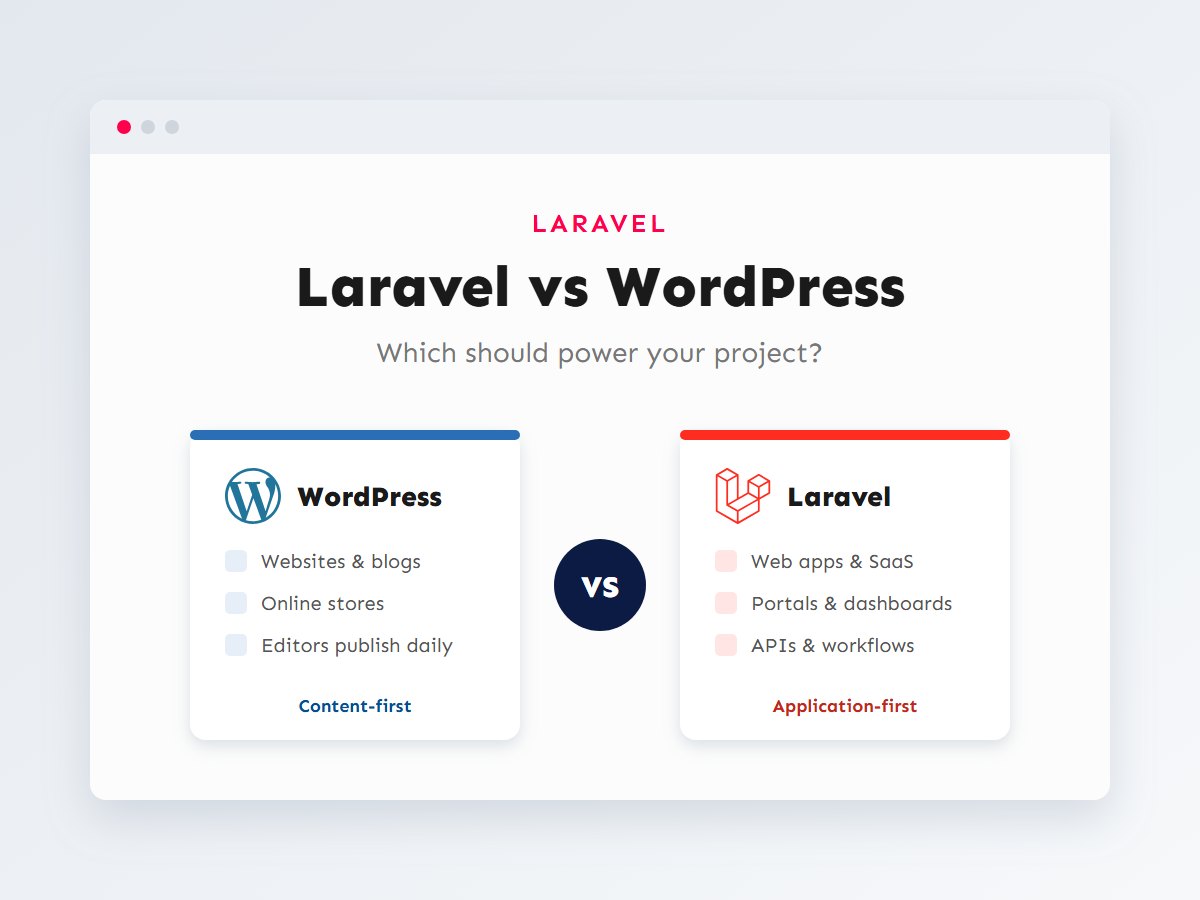
WordPress is the right tool when the heart of the project is content that people edit and publish. That covers far more than blogs:
- Business and marketing websites where the team updates pages, services, case studies and landing pages without a developer.
- Online stores with WooCommerce, which brings products, cart, checkout, orders, coupons and a large extension ecosystem.
- Content-rich sites such as portfolios, directories, news, documentation and resource libraries, built with custom post types and fields.
- Projects that need to launch fast, where proven plugins for forms, SEO, caching and backups save weeks of work.
The big advantage is that the admin experience already exists. Editors get a familiar dashboard, revisions, scheduling, media handling and user roles on day one. Building all of that in Laravel is possible, but you’d be rebuilding a CMS before you start on the actual project.
WordPress also stretches further than people expect. With custom plugins, custom REST endpoints and a well-designed data model, I’ve built sales and inventory tools that live entirely inside the WordPress dashboard. The limit isn’t what WordPress can do; it’s how comfortable it stays as the custom part keeps growing.
When Laravel is the right choice
Laravel is the right tool when the heart of the project is custom business logic and data, and content pages are a small part of it:
- Web applications and SaaS products with accounts, subscriptions, teams, permissions and dashboards.
- Booking, scheduling and workflow systems with rules specific to one business: approvals, statuses, deadlines, notifications.
- Customer and partner portals that show each user their own orders, documents, invoices or projects.
- APIs that power mobile apps or other systems. I cover this in building a REST API with Laravel and Sanctum.
- Data-heavy tools with complex relationships, reports and background processing, such as imports, exports and integrations that run on queues.
In these projects WordPress’s built-in features stop helping and start getting in the way. Its database is designed around posts and post meta, so modelling “a booking belongs to a customer and a room, and has many payments” means bending that structure. In Laravel you design tables for exactly that, define the relationships once, and every query reads like the business it describes.
Side-by-side comparison
| Aspect | WordPress | Laravel |
|---|---|---|
| What it is | A content management system you extend | A PHP framework you build applications with |
| Admin and editing | Complete dashboard and block editor included | You build the admin screens (or use a package) |
| Data model | Posts, pages, custom post types, meta, taxonomies | Any tables and relationships you design |
| Custom logic | Plugins and hooks; great for moderate complexity | Controllers, services, jobs, events; built for complexity |
| Users and permissions | Roles and capabilities built in | Authentication starter kits, gates and policies |
| APIs | REST API built in, extendable | First-class API routes, resources and token auth |
| Ecosystem | Huge plugin and theme library | Rich package ecosystem for developers |
| Speed to launch a content site | Fast | Slower; most things are built from scratch |
| Testing and structure | Possible, but up to the developer | Built in: feature tests, migrations, clear conventions |
| Best for | Websites, stores, content platforms | Web apps, portals, SaaS, APIs |
The same feature in both
To make the difference concrete, here’s one small feature built both ways: a JSON endpoint that returns a customer’s upcoming bookings. First in WordPress, as a custom REST route inside a plugin, with bookings stored as a custom post type:
<?php
add_action( 'rest_api_init', function () {
	register_rest_route(
		'acme/v1',
		'/my-bookings',
		array(
			'methods'             => 'GET',
			'permission_callback' => 'is_user_logged_in',
			'callback'            => function () {
				$bookings = get_posts(
					array(
						'post_type'   => 'booking',
						'author'      => get_current_user_id(),
						'meta_key'    => 'booking_date',
						'orderby'     => 'meta_value',
						'order'       => 'ASC',
						'meta_query'  => array(
							array(
								'key'     => 'booking_date',
								'value'   => current_time( 'Y-m-d' ),
								'compare' => '>=',
								'type'    => 'DATE',
							),
						),
						'numberposts' => 20,
					)
				);

				return array_map(
					fn ( $post ) => array(
						'id'   => $post->ID,
						'room' => get_post_meta( $post->ID, 'room', true ),
						'date' => get_post_meta( $post->ID, 'booking_date', true ),
					),
					$bookings
				);
			},
		)
	);
} );
It works, and for a site that mostly publishes content it’s a perfectly good solution. Now the same endpoint in Laravel, where bookings have their own table and a relationship to rooms:
// routes/api.php
use App\Http\Resources\BookingResource;
use Illuminate\Http\Request;
use Illuminate\Support\Facades\Route;

Route::middleware('auth:sanctum')->get('/my-bookings', function (Request $request) {
    $bookings = $request->user()
        ->bookings()
        ->with('room')
        ->whereDate('starts_at', '>=', today())
        ->orderBy('starts_at')
        ->limit(20)
        ->get();

    return BookingResource::collection($bookings);
});
The Laravel version is shorter, but that’s not the real point. Look at what happens as requirements grow: payments, cancellations with rules, staff calendars, reminders by email. In WordPress each addition means more meta keys, more meta queries and more care to keep things fast. In Laravel each one is a table, a relationship and a job, and the code stays as readable as it is above.
A decision flow you can use
When a new project comes in, these are the questions I work through. They’re deliberately about the project, not about which technology is more fashionable.
A useful shortcut is to picture the typical user session. If most visitors read, browse and buy, you’re describing a website, and WordPress fits. If most users log in and work (create records, move them through steps, see their own data), you’re describing an application, and Laravel fits.
Watch out for “it’s just a small portal”
Projects that start as “a few extra pages for logged-in customers” often grow into the main product. If the logged-in part is likely to keep growing, plan for it now, even if version one is small.
The hybrid option: use both
Many real businesses need both a website and an application. A software company needs a marketing site, a blog and landing pages that the marketing team can change daily, and a product that customers log into. Forcing both into one tool means either building a CMS in Laravel or building an application in WordPress. The cleaner answer is often to let each tool do what it does best.
The two parts stay independent, so a redesign of the marketing site never risks breaking the application, and a new application release never touches the content. The connection between them can be as simple as “Sign up” and “Log in” links. If the website needs live data (pricing, availability, a status page), it can read it from the Laravel API.
There’s a second hybrid pattern too: WordPress as a headless CMS for content, with a separate frontend reading it through an API. I cover that approach with Next.js in connecting WordPress with Next.js using WPGraphQL. It’s a good fit when the frontend needs to be highly interactive but editors still want the WordPress dashboard.
Cost, time and maintenance
Every project is different, so I won’t quote figures. But the cost shape of each option is predictable, and it’s worth understanding before you decide:
- WordPress is cheaper to start because so much already exists. Costs grow with the amount of custom functionality and with premium plugin licences.
- Laravel costs more up front because screens, admin areas and logic are built rather than installed. In return, adding features later tends to stay predictable, because the code is organized around your data.
- Maintenance looks different. WordPress sites need regular core, theme and plugin updates and attention to security. Laravel apps need framework and package upgrades, server care and a proper deployment process. Neither is maintenance-free.
- The expensive mistake is the wrong fit. A web application squeezed into WordPress, or a simple website built from scratch in Laravel, costs more over its life than either tool used for its strengths.
Questions to answer before you decide
When I scope a project with a client, these are the questions that settle the choice faster than any feature list. Write down your answers before talking to a developer; they’ll make every conversation more productive.
- Who updates it, and how often? If non-technical staff publish content every week, WordPress’s editor is a big advantage. If the “content” is mostly records users create themselves, it’s an application.
- What does a logged-in user do? If the answer is “not much” or “view their orders”, WordPress or WooCommerce handles it. If users manage projects, approve requests or collaborate in teams, that’s Laravel territory.
- What does the data look like? Sketch the main things the system tracks and how they relate. A few content types with categories fit WordPress well. Many related entities with rules between them fit Laravel.
- How important is search engine traffic? For marketing sites and content that needs to rank, WordPress (with a good theme and SEO plugin) gives you a lot for free. Applications behind a login usually don’t need SEO at all, except for their public pages.
- What has to connect to it? Mobile apps, partner systems and internal tools that need a clean, versioned API point toward Laravel. Occasional data syncs can be handled well in either.
- What happens in two years? If you expect the logged-in part to become the core of the business, plan for an application now. Migrating a grown WordPress “app” to Laravel later is possible, but it’s a rebuild.
There’s also a practical point that’s easy to forget: who will maintain the project after launch? A WordPress site can be looked after by a wide pool of developers and agencies. A Laravel application is better structured but needs a PHP developer comfortable with the framework. Either way, ask for code in a Git repository you own and documentation of how it’s deployed.
Key takeaways
- WordPress is a CMS you extend; Laravel is a framework you build applications with.
- Choose WordPress when the core of the project is content or selling products, and the team edits it daily.
- Choose Laravel when the core is custom logic: accounts, workflows, dashboards, APIs and complex data.
- Ask what users mostly do: read and buy (website) or log in and work (application).
- For many businesses the best answer is both: a WordPress website and a Laravel application.
If you’re planning a project and aren’t sure which side of the line it falls on, I’m happy to talk it through. Because I work with both WordPress and Laravel, you’ll get a recommendation based on your project, not on the only tool I know. Get in touch or see the services I offer.